User Experience | Web Design | Graphic DesignMyeloMatch
MyeloMatch is a complex application that keeps track of every stage of a patient in a clinical trial that is composed of different tiers and treatments. Clinicians need to be able to move through every stage of the patients’ history while in the trial. I was the main designer for this project.
-
The Problem
The main challenge in designing Myelomatch was creating an intuitive user interface that could efficiently display highly complex genetic data and support numerous specialized actions for different roles of busy medical researchers, who needed to work quickly given the critical cancer stage of their patients and the urgent requirement to input intricate genetic information.
-
The Solution
To solve this, I applied expert UX design principles and collaborated closely with researchers, prototyping wireframes that simplified data entry and data visualization while introducing clear navigation structures and role-based workflows; various ways to filter and search information, usability testing ensured both speed and accuracy, allowing users to locate critical patient information fast and perform their tasks efficiently under pressure.
-
Basics
My role: UX Designer
Client: National Cancer Institute
Tools: Figma, Adobe Creative Suite
Design System: Luma
Deliverables: user flows, wireframes, high-fidelity prototypes, sitemaps, UI design, design specs for development
Research and ideation
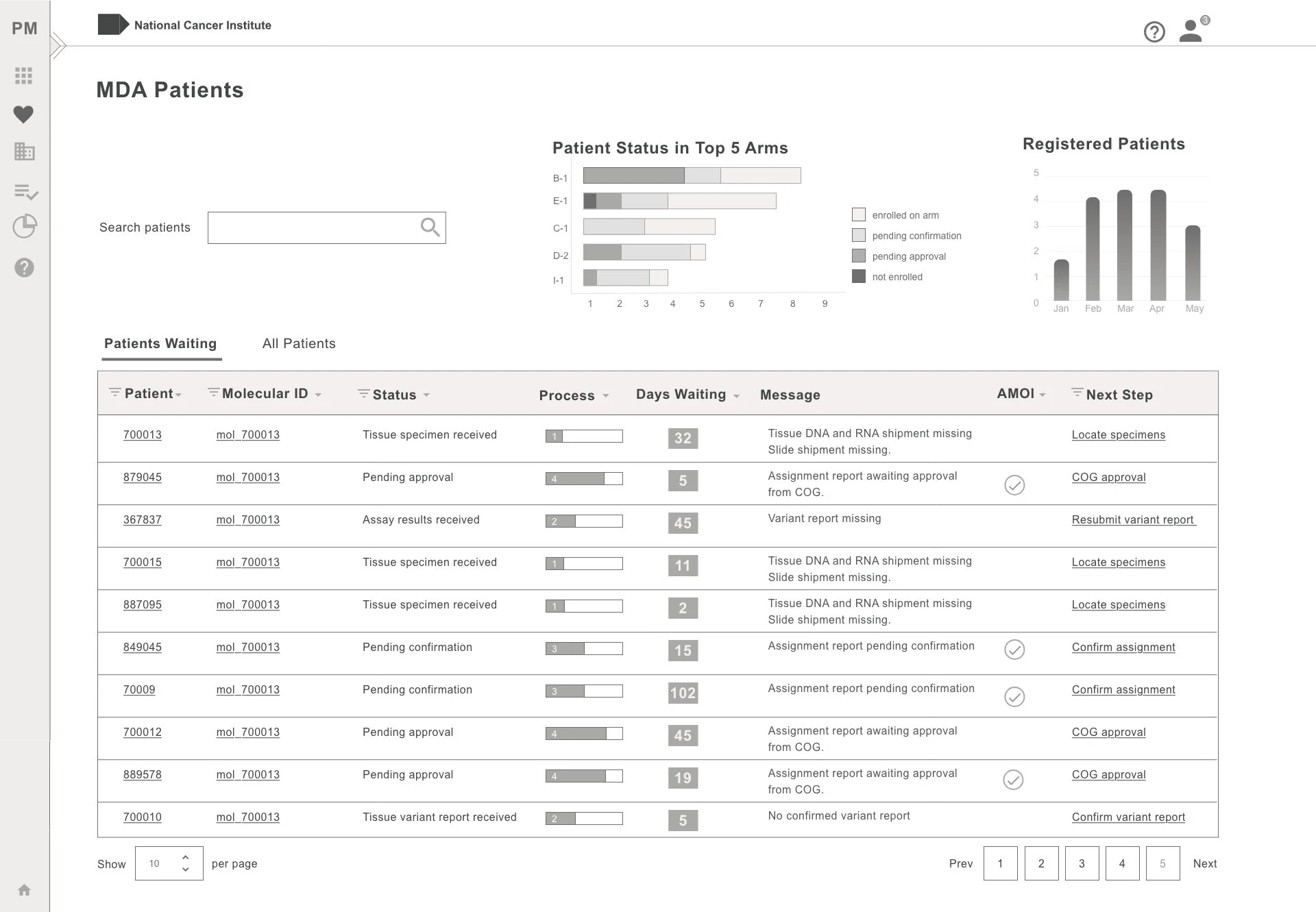
At the start of the Myelomatch project, I familiarized myself thoroughly with the users' tasks and needs by conducting detailed interviews with both stakeholders and end users. This foundational research informed the creation of initial wireframes that mapped out the core functionality and workflows, ensuring the design aligned closely with the real-world requirements of busy medical researchers.
Design : The Dashboard
The users of this application are busy clinicians and bioinformatics researchers. They needed a place where they can get a quick snapshot of what they need to do and what they are looking for.
The main top section tells them how many patients need attention in the different stages of the trial. There is urgency when working on trials like this one because of the condition of the patients in the trial. Therefore the number of patients that have the most urgency is pointed out in a red bubble at each stage. These sections also act as tabs that the user can click through to see a table of the patients at that stage.
Other Features
-
A side navigation opens on hover giving access to the main sections without taking much screen space
-
How urgent it is to work on a patient is represented by colors but also with a dot icon for colorblind users
-
Data can be filtered quickly by clicking filters that have the options visible.
-
Important actions can be done fast when the option is available without additional steps.
Design : The Patient’s Page
Most of the action in MyeloMatch happens in the individual patient’s page.
-
An illustration of a person depending on the patient’s sex is included to keep in the user’s mind that they are working with a real person
-
A graphic of a timer is displayed to show the urgency level of each patient. The color or the graphic changes from green to yellow to red according to how long the patient data has been active in the system.
-
The current status of the patient is clearly labeled and what the system is waiting for is explained.
-
The action that the system is waiting for is prominent on the page and easy to find. Clicking on this button will automatically scroll the page to the appropiate section.
-
The section of the page where the action is pending, is clearly labeled
Patient’s Timeline
All events in a patient’s history in the trial are recorded and a log is available for researchers to study. Every addition of data is identified by who submitted it and any comments they appended.
What I learned…
From the Myelomatch project, I learned that adopting the biotechnology industry's familiar ways of viewing data was key, as trying to reinvent the interface with unfamiliar methods would have wasted users' time and reduced efficiency. This approach ensured the design aligned with user expectations and supported their urgent, complex workflows effectively.
Due to the sensitivity of the project and strict privacy concerns, the design results and application details cannot be published or publicly shared.
I am currently available for work and looking forward to hearing from you.
If you have any questions or would like to set up an interview, send me an email at aynex21@gmail.com. Connect with me on Linked In.